Backup Doula Software: One Packet for the Handoff | DoulaFlow
Backup doula

Everything your backup doula needs, in one packet

Set a backup on a client's record and send her one email. It holds the client's details, her appointments, the documents you choose, and a form to record the birth. Your backup needs no account.

14 days free. No card needed. Cancel anytime.
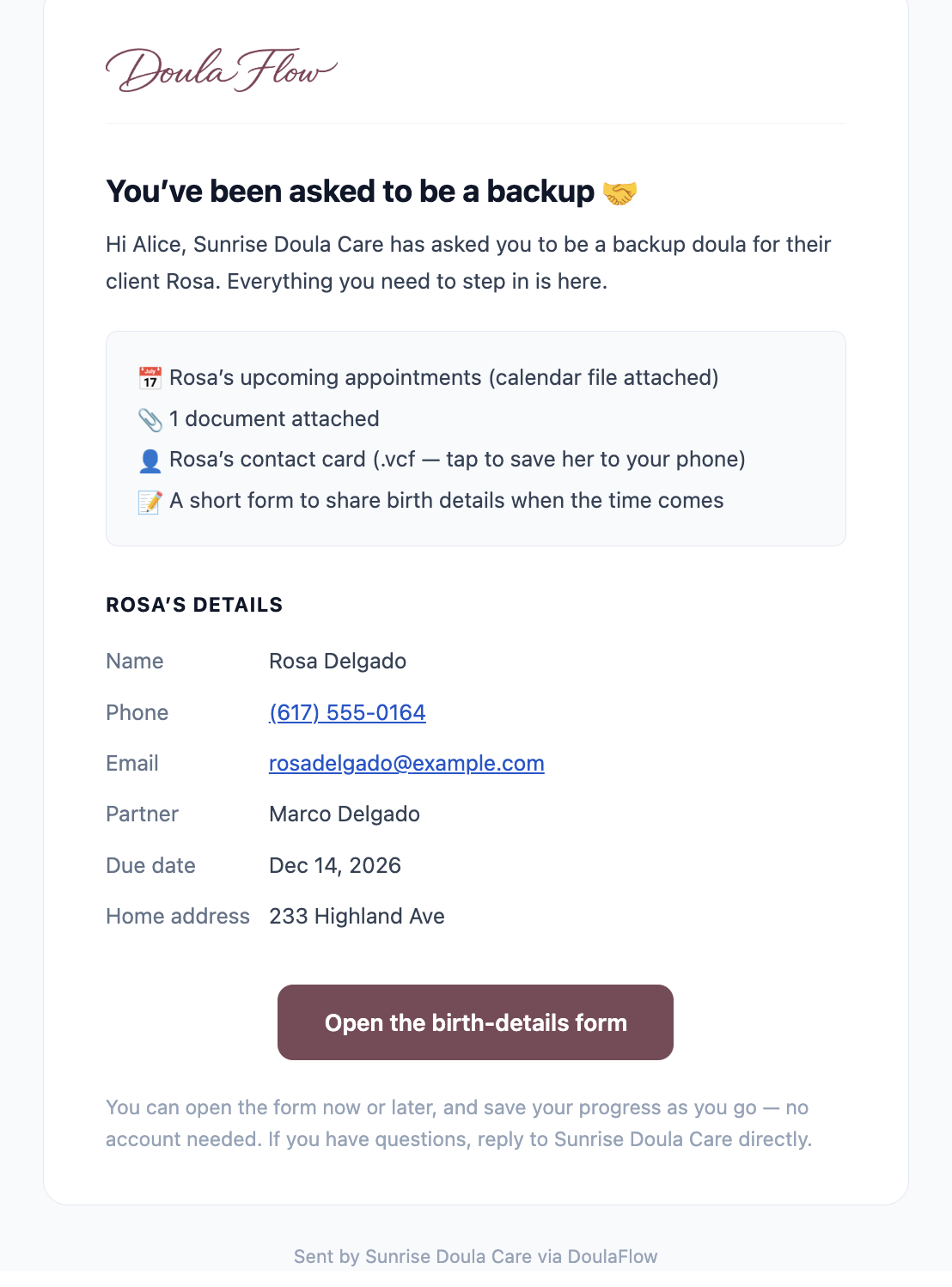
The backup packet email a backup doula receives from DoulaFlow, listing a calendar file of the client's appointments, an attached document, a contact card and a birth-details form, followed by the client's contact details

What does your backup actually have at two in the morning?

Usually a text thread and a screenshot of the birth plan. She is working from whatever you remembered to send, on a night when you may not be able to answer the phone.

You choose

Pick what goes in the packet

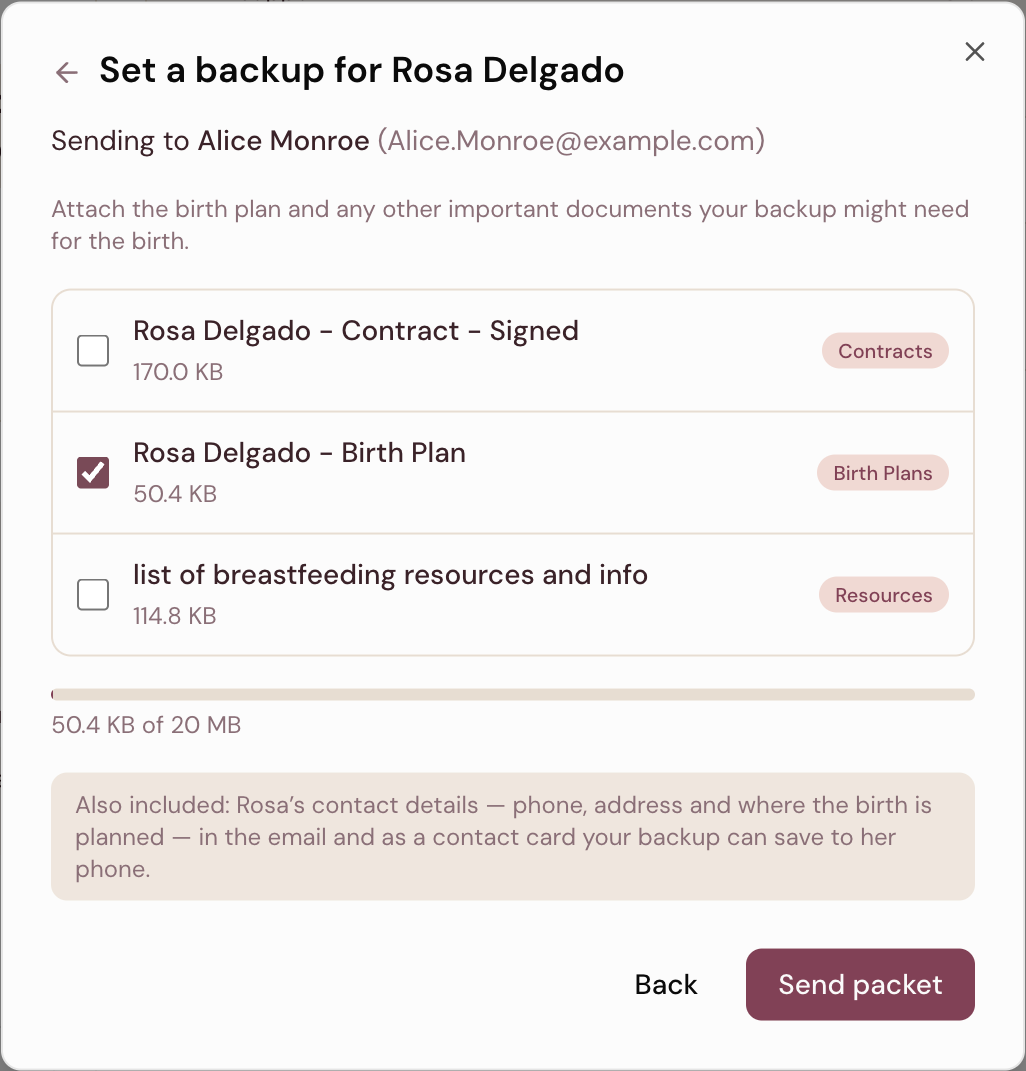
Choose a backup, then pick which of the client's documents she should have. Send the birth plan and keep the signed contract to yourself if you like.

  • Saved backups and teammates. Pick someone you have used before, or another doula in your practice.
  • Up to 20 MB of documents. A meter shows how much you have used.
  • Contact details included. Written out in the email and as a card she can save.
Setting a backup doula for a client in DoulaFlow: choosing which documents to attach, with the birth plan selected, a 20 MB attachment meter, and a note that the client's contact details are included
Private by design

No account, and a link that holds almost nothing

Your backup never gets a login and never joins your client list. The email went to an address you chose, so it carries the client's details. The link inside it does not.

  • First name only. The page behind the link shows the client's first name, your practice name and the form.
  • Safe if forwarded. Anyone else who opens it sees no phone number or address.
  • Checked by a test. An automated test in our code keeps that limit in place.
Access that lasts

Her access follows the pregnancy

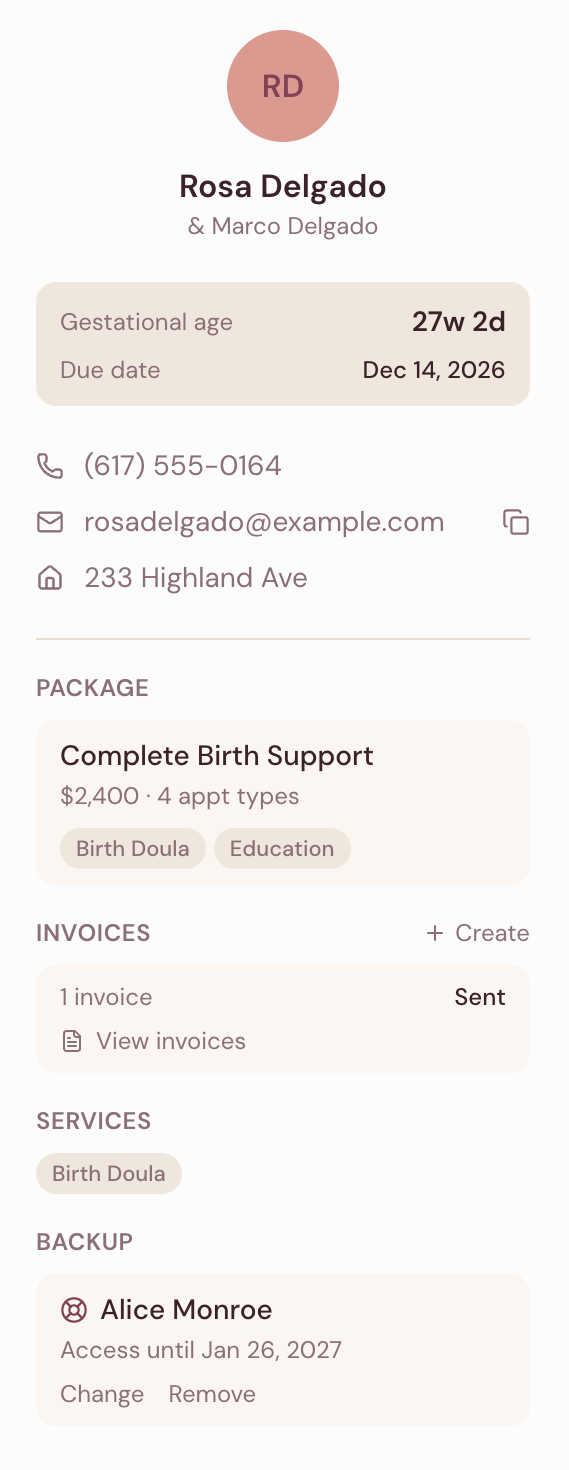
Her access lasts at least thirty days from when you send the packet. It always runs through six weeks past the due date, whichever is later.

  • Arranged late still works. A backup set in the last weeks still gets a usable window.
  • Time to record the birth. Access runs well past the due date.
  • You see the date. It shows on the client's record, under Backup.
A client record in DoulaFlow showing gestational age, due date and package, with a Backup section naming the backup doula and the date her access lasts until
If she attends

The birth record stays whole

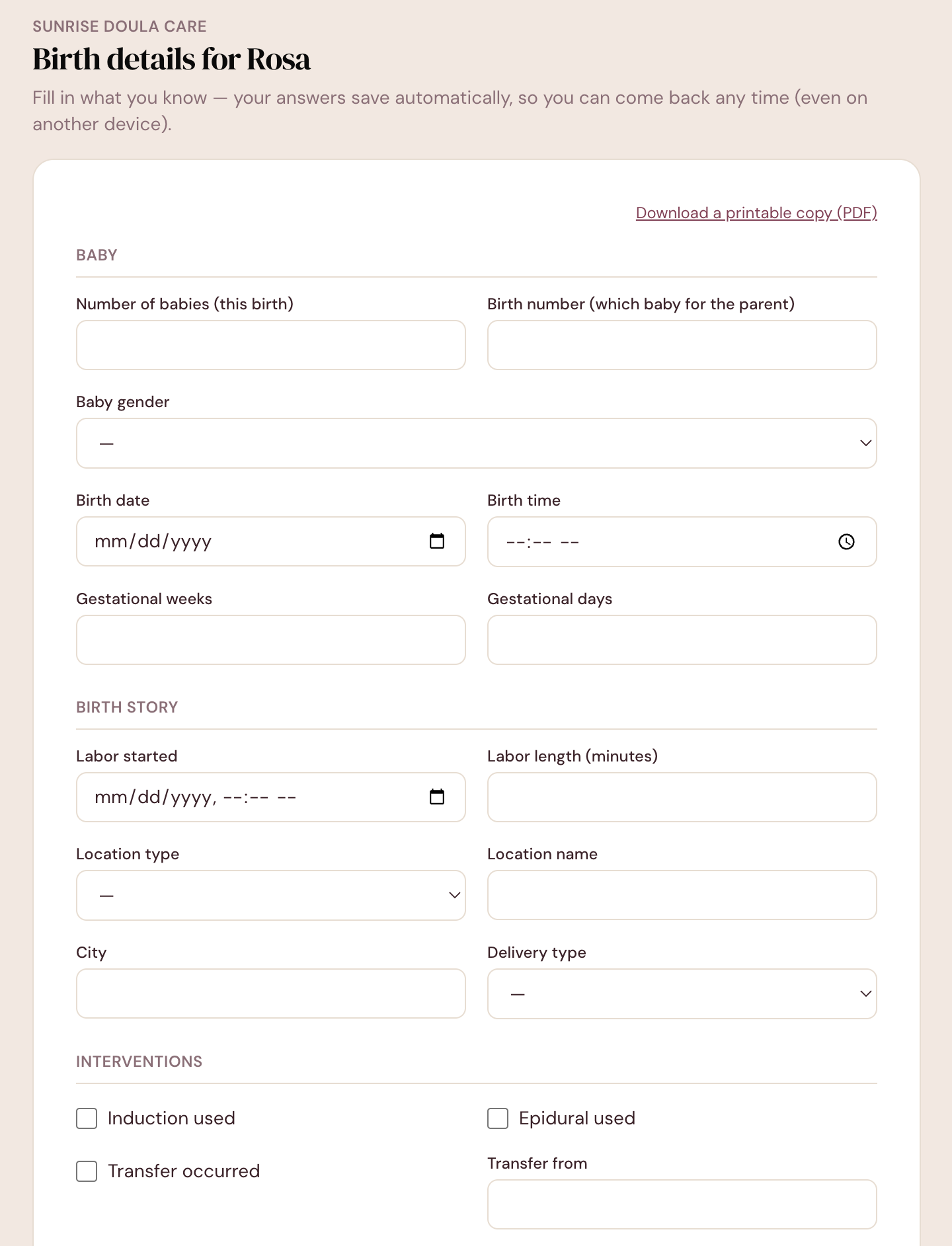
Your backup can fill in the birth details herself. The form saves as she types. When she submits, the details come to you to accept into the client's record.

  • Saves as she goes. She can put her phone down and come back, even on another device.
  • A printable copy. She can download a PDF for her own records.
  • Nothing gets erased. Accepting adds only the fields she answered.
app.mydoulaflow.com/backup
The birth-details form a backup doula fills in, with sections for the baby, the birth story and interventions, and a link to download a printable copy
Backup capabilities

Built for the handoff

The small details that matter when someone else is driving to the birth.

Contact card

The client's details as a card your backup saves to her phone in one tap.

Appointments file

The client's upcoming appointments, ready to add to her calendar.

Access end date

The date her access ends, right on the client's record.

Birth details form

The baby, the birth story, interventions, measurements, feeding and notes.

First name only

The page behind the link never shows the client's contact details.

Teammates listed

In a collective, other doulas in your practice appear in the backup list.

What comes with every plan

Unlimited clients

Every plan includes unlimited clients. You are never charged per client.

No cut of your payments

Clients pay you directly through your own PayPal or Venmo. DoulaFlow never touches the money.

Your data stays yours

Ask and we send you a copy of everything: your clients, documents and birth records.

Built with a working doula

Megan runs her own practice and has the final say on everything we build.

No contract

Month to month or yearly. Cancel whenever you like.

Real people answer

Two of us, in Chattanooga, read every message.

Common questions

Does my backup doula need a DoulaFlow account?

No. She receives one email with everything in it and a link to the birth-details form. She never gets a login, and she never joins your client list or your client's portal.

What is in the backup packet?

The client's contact details, written out in the email and as a contact card she can save to her phone, the client's upcoming appointments as a calendar file, the documents you choose to attach up to 20 MB, and a link to a form for recording the birth.

How long does my backup have access?

Her access lasts until at least thirty days after you send the packet, and always through six weeks past the client's due date, whichever is later. You can see the date on the client's record.

Can my backup doula record the birth details?

Yes. The form saves as she types, so she can come back to it later. When she submits, the details come to you to accept into the client's record, and a field she left blank will not overwrite anything you had already recorded.

What can someone see if the link is forwarded?

Only the client's first name, your practice name, and any birth details already entered on the form. The full contact details live in the email, not behind the link, and nothing entered on the form reaches the client's record until you accept it.

Set a backup for your next client.

Backup packets work during your free trial, so you can send one for a real client.

14 days free. No card needed. Cancel anytime.