Doula Contracts, E-Signature and Intake Forms | DoulaFlow
Contracts, intake & documents

The paperwork is done before she is on call

Send a contract for e-signature from the client's record. Email her an intake form written for doulas. Keep every signed copy, answer and handout in one library, and choose who sees each one.

14 days free. No card needed. Cancel anytime.
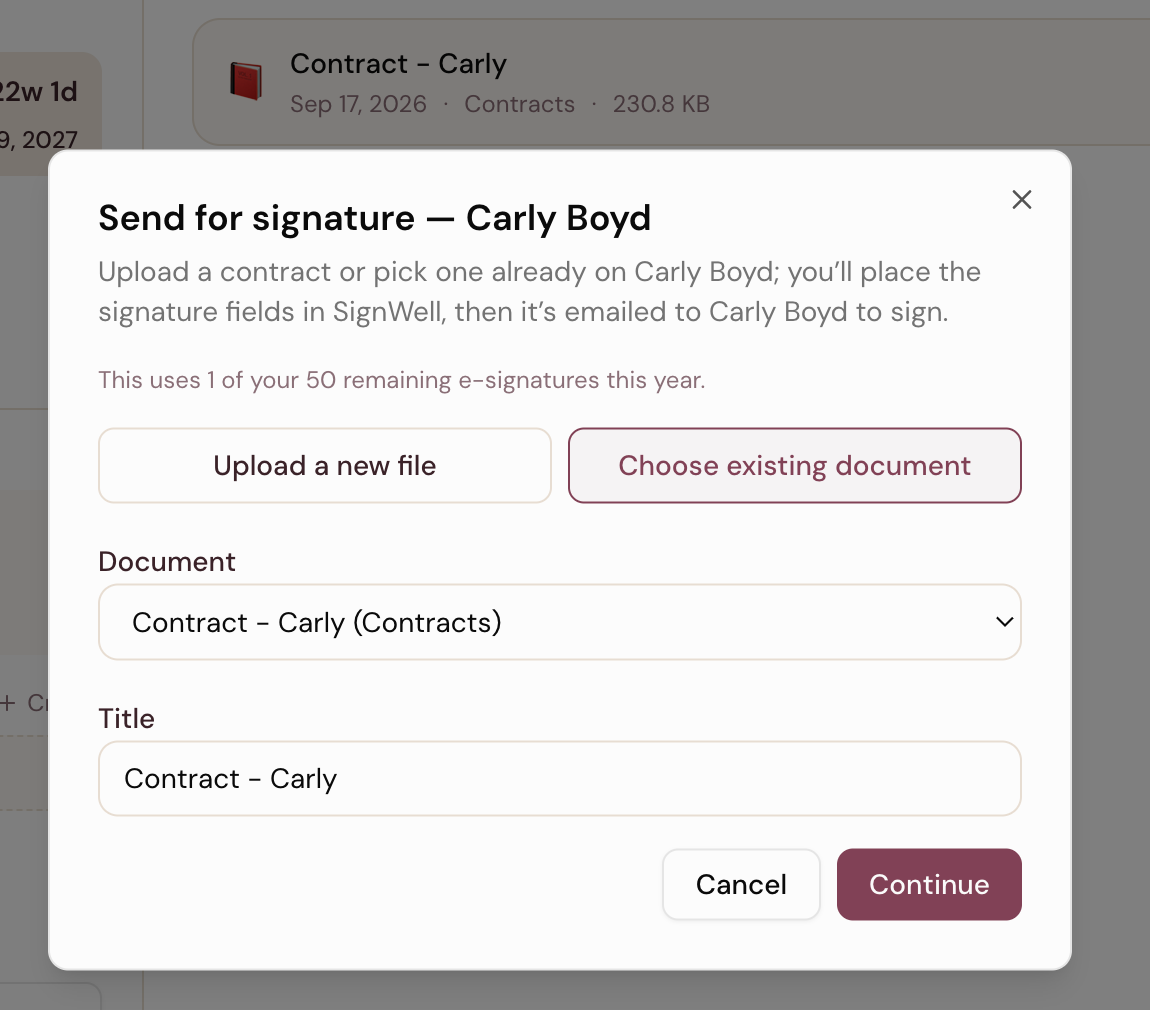
The Send for signature window on a client's Documents tab in DoulaFlow, with her contract chosen from documents already on her record and a note showing the e-signatures left this year

How many clients start care with the contract still unsigned?

Paperwork slips between email, printouts and a folder on your laptop. The intake form lives in a separate tool, and the signed contract lives wherever it landed.

E-signature

Contracts signed without a printer

Pick a contract already on the client's record, or upload a PDF or Word file. Place the signature, initials and date fields, then send. She signs from her email with nothing to install.

  • The signed copy comes back. It lands in her documents and in her portal.
  • 50 a year per doula. Every paid plan. The free trial includes 3.
  • Counted when it is sent. A draft you close does not use one.
Intake form

An intake form written for doulas

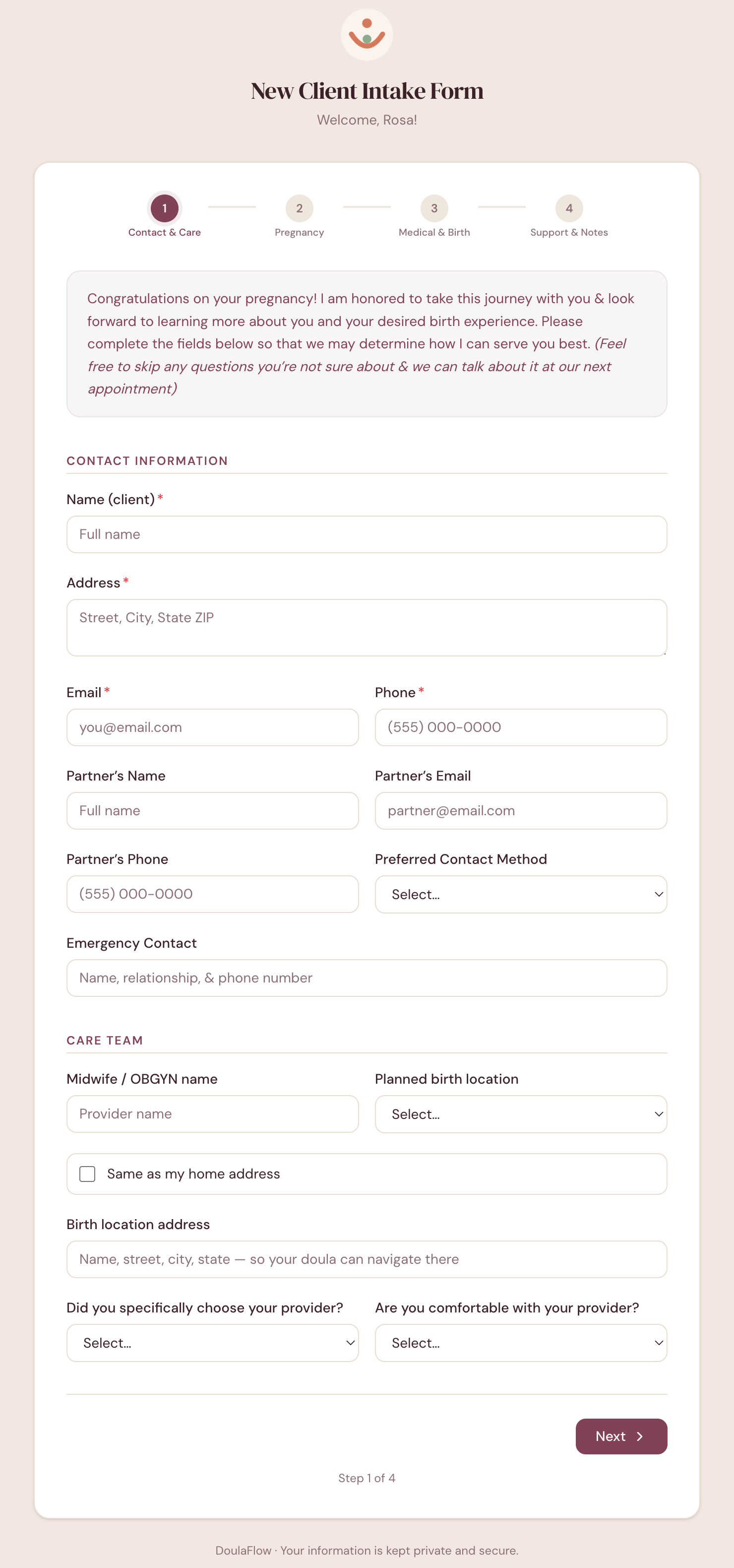
One click emails her a link to a four-step form: contact and care team, pregnancy, medical history and birth wishes, then support and notes. She needs no account.

  • Her answers fill her record. Name, phone, email, address, partner and due date.
  • A private PDF copy is saved to her documents.
  • You hear when she is done. DoulaFlow emails you.
The first step of the DoulaFlow client intake form, with a welcome note, contact and partner details, emergency contact, and care team questions about her provider and planned birth location
Documents

Every document, one library

Upload contracts, birth plans, consent forms and handouts into folders. For each one, choose who can see it: only you, you and one client, or every client at once.

  • Share a handout once. All clients puts it in every client's portal.
  • Most files work. PDF, Word, Excel and photos, up to 20 MB each.
  • Change your mind later. Edit the title or who can see it any time.
What is missing

See what is still outstanding

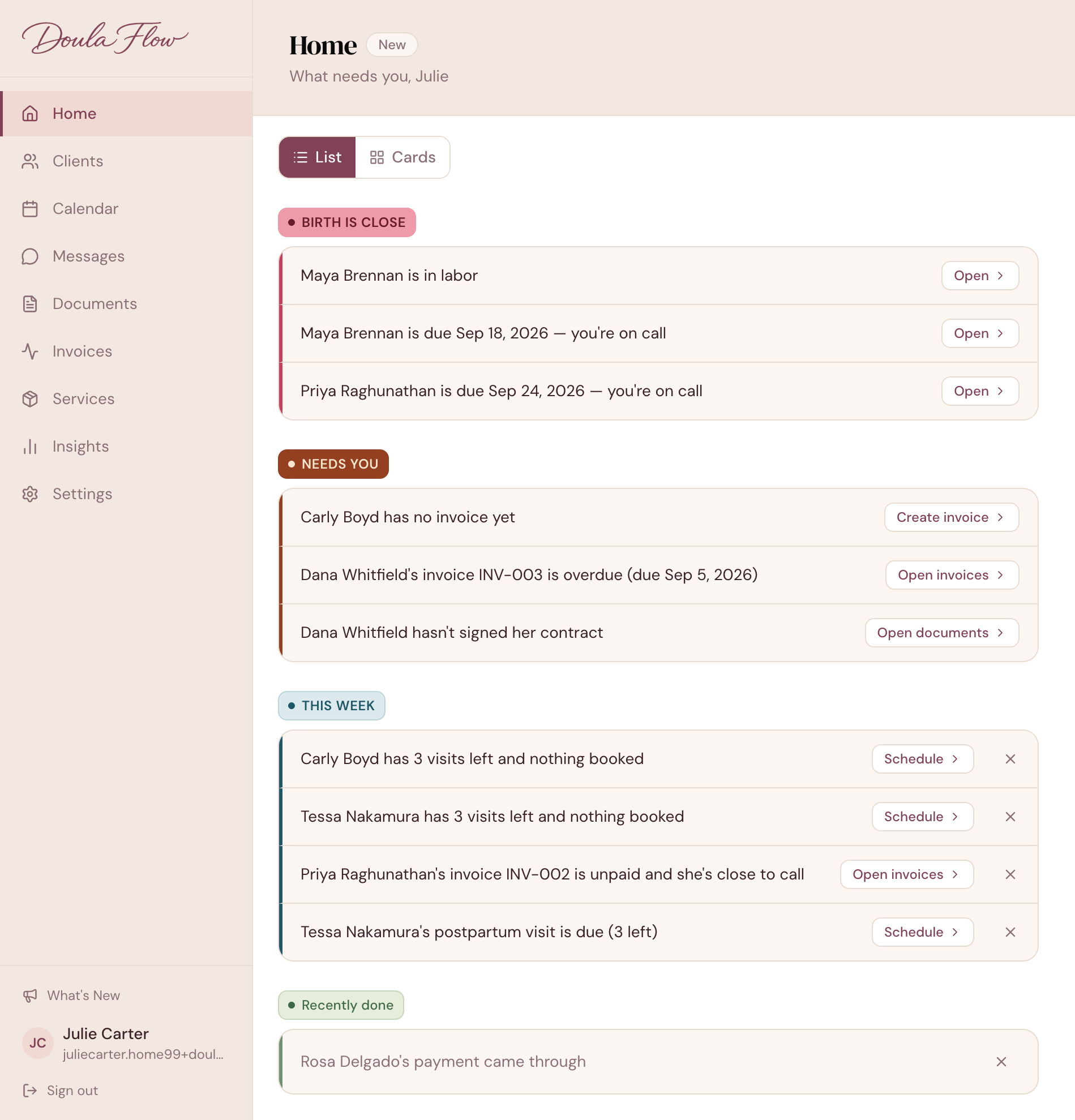
An unsigned contract or an intake form that has not come back shows up on Home under the client's name, with a button that opens the right tab.

  • Gone when it is done. A signed contract moves to Recently done.
  • Your call. Turn off intake reminders in Home settings if you do not use the form.
app.mydoulaflow.com/home
DoulaFlow Home in list view, with Dana Whitfield hasn't signed her contract under Needs you
Paperwork details

Small things that save a follow-up

So nothing has to be sent twice.

Preview the form

See exactly what your client will fill out before you send it.

Copy the link

Share the intake link by text too. It lasts 7 days.

Edit her answers

Fix or add to her intake answers after she submits.

Private by default

Her intake PDF is visible only to you.

Signed copies saved

No downloading from email and uploading again.

In a collective

Each doula seat adds 50 e-signatures a year.

What comes with every plan

Unlimited clients

Every plan includes unlimited clients. You are never charged per client.

No cut of your payments

Clients pay you directly through your own PayPal or Venmo. DoulaFlow never touches the money.

Your data stays yours

Ask and we send you a copy of everything: your clients, documents and birth records.

Built with a working doula

Megan runs her own practice and has the final say on everything we build.

No contract

Month to month or yearly. Cancel whenever you like.

Real people answer

Two of us, in Chattanooga, read every message.

Common questions

Can I use my own contract?

Yes. Upload your own PDF or Word file, or pick one already on the client's record. Each signature request uses a file on that client's record.

How many e-signatures do I get?

Every paid plan includes 50 e-signatures a year for each doula seat, so a collective gets 50 per doula. The free trial includes 3. A signature counts when the request is sent.

Can I change the intake form questions?

No. The intake form has a fixed set of questions written for doulas. You can edit a client's answers after she submits them.

Can my client's partner sign the contract too?

No. Each signature request goes to one signer, the client, at the email on her record.

Does my client need an account to sign or fill in the intake form?

No. Both links arrive by email and open in her browser. There is nothing to install.

Can clients upload documents?

No. Clients can view and download the documents you share with them in their portal.

Send your first contract for signature.

Your free trial includes 3 e-signatures, and intake forms work from day one.

14 days free. No card needed. Cancel anytime.