Import Doula Clients from eDoula or a CSV | DoulaFlow
Import

Bring your clients with you

Upload a CSV of your clients from a spreadsheet or another doula app. Map your columns, see what will come across first, and bring birth records and past invoices too.

14 days free. No card needed. Cancel anytime.
app.mydoulaflow.com/clients/import
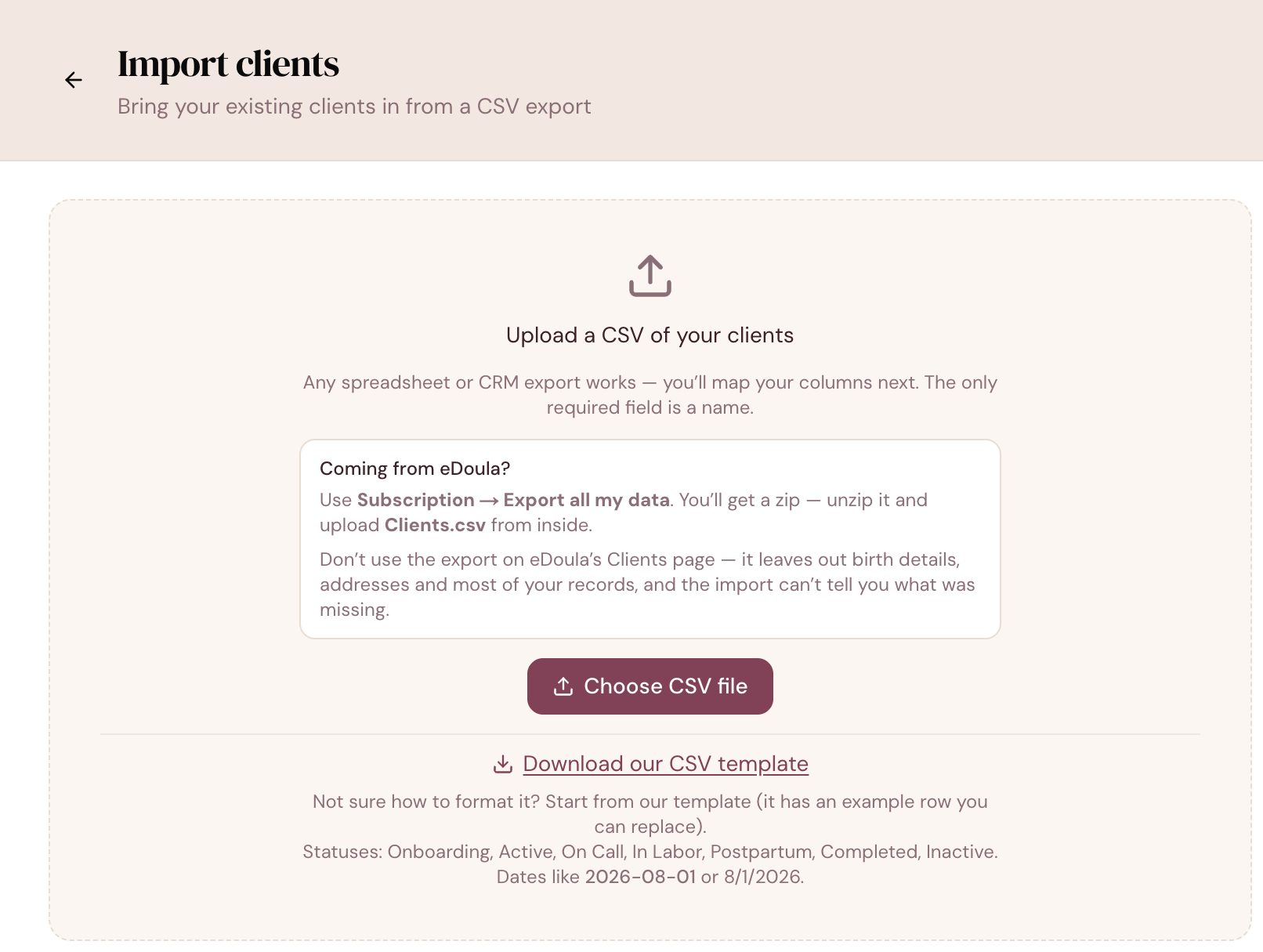
The DoulaFlow import clients screen with a CSV upload, a Coming from eDoula box explaining which export to use, and a link to download a CSV template

What keeps you in software you have outgrown?

Usually it is the history. Years of clients, due dates and birth records feel too hard to move, so the old tool stays.

From eDoula

Coming from eDoula?

DoulaFlow tells you exactly which eDoula export to use. It recognizes eDoula's columns, baby weights and birth outcomes, so your birth records come across too.

  • The right export. Use Export all my data, not the export on the Clients page.
  • Upload Clients.csv from that export.
Map and check

Map your columns, then see it first

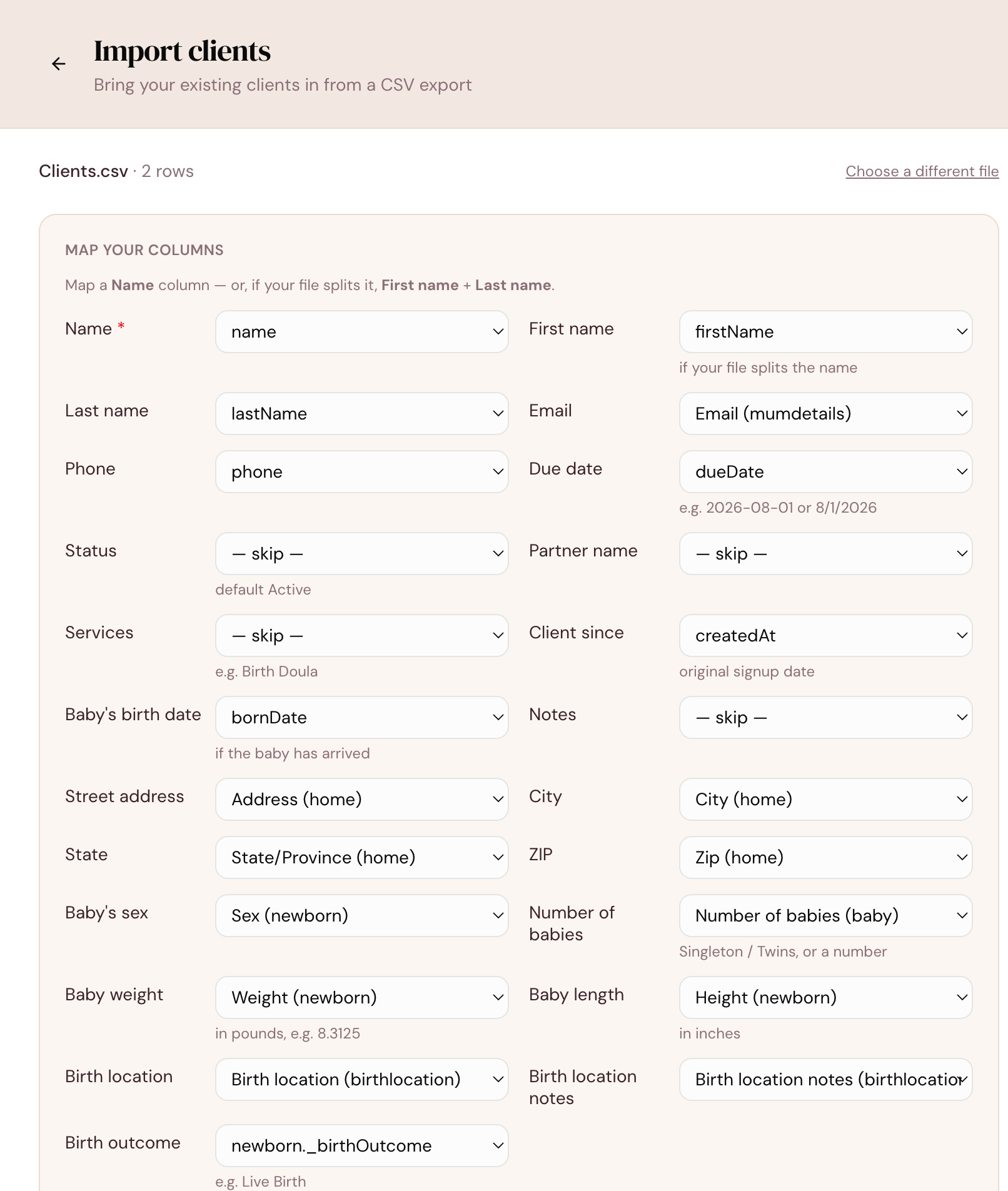
DoulaFlow suggests a match for each column. Before anything imports, it lists every column it will leave out and marks each row as ready, a duplicate, or a problem.

  • Only a name is required.
  • Your own status names. Match them to DoulaFlow's stages, including leads.
  • Duplicates skipped. Clients already in DoulaFlow are not added twice.
app.mydoulaflow.com/clients/import
The DoulaFlow column mapping screen matching a CSV's columns to fields such as name, email, due date, address, baby's sex, weight, birth location and birth outcome
Birth records

Birth records come too

Birth date, number of babies, weight, length, location and outcome become a birth record for each client, so your history stays whole.

  • Packages as you go. Assign a package to every row, or row by row.
  • Problems stay small. One bad row is skipped or flagged, not the whole file.
Past invoices

Past invoices, matched to clients

Import your invoices after your clients. Each one is matched by client name, and you choose from a menu when a name is unclear. An amount already paid comes in as a payment.

  • Clients first. Invoice import never creates clients.
  • Totals, not line items. Each invoice comes in with its total and dates.
Import details

What to expect

Plain answers before you start.

CSV files

Save your spreadsheet or export as a CSV file first.

1,000 rows at a time

Bring a bigger list across in more than one import.

A starting template

Download our CSV template with an example row.

A full summary

See what came across, what was skipped and why.

Packages assigned

Give imported clients a package as they come in.

Keep your file

There is no undo, so hold on to your original file.

What comes with every plan

Unlimited clients

Every plan includes unlimited clients. You are never charged per client.

No cut of your payments

Clients pay you directly through your own PayPal or Venmo. DoulaFlow never touches the money.

Your data stays yours

Ask and we send you a copy of everything: your clients, documents and birth records.

Built with a working doula

Megan runs her own practice and has the final say on everything we build.

No contract

Month to month or yearly. Cancel whenever you like.

Real people answer

Two of us, in Chattanooga, read every message.

Common questions

Which apps can I import from?

Any app or spreadsheet that can save a CSV file. DoulaFlow has built-in guidance and column matching for eDoula exports. Other exports work through the column mapping step.

What can I import?

Clients, including their birth records, and invoices. Appointments, documents, messages and packages are not imported.

Is there a size limit?

Up to 1,000 rows per import. For a bigger list, split the file and import it in parts.

Can I undo an import?

No. Check the preview before you import and keep your original file. Imported clients can be deleted one at a time, and deleted clients can be restored.

Will you move my data for me?

Import is self-serve, and the preview shows you what will come across before you commit. If you get stuck, email us and a real person will answer.

Bring your practice with you.

Import your clients during your free trial.

14 days free. No card needed. Cancel anytime.