Doula Packages and Add-ons Software | DoulaFlow
Packages & add-ons

Packages that know what is inside them

Build each package from the visits it includes. Price add-ons for what only some clients want. DoulaFlow counts the visits each client has used and adds her add-ons and extras to her invoice in one click.

14 days free. No card needed. Cancel anytime.
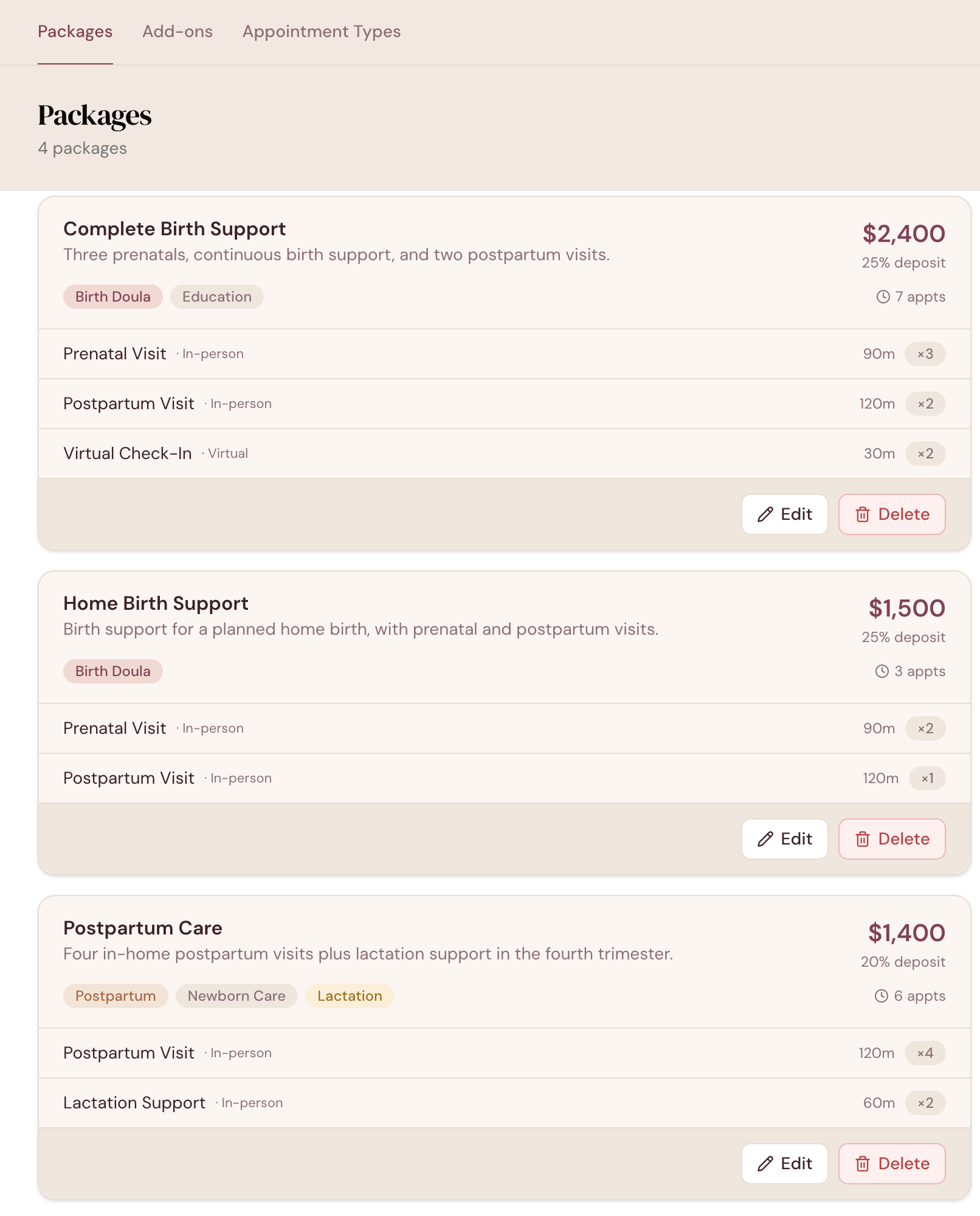
app.mydoulaflow.com/services/packages
DoulaFlow packages page showing Complete Birth Support at $2,400 with a 25% deposit, including three prenatal visits, two postpartum visits and two virtual check-ins

What happens when she wants one more visit?

Most doulas decide on the spot, often with the client right there. The price gets made up in the moment, and the extra visit is easy to forget when the invoice goes out.

Start with visits

Built from the visits you offer

Every package is made from your visit types, like a prenatal visit or a postpartum visit. Each one has a length, a mode, a phase of care and a price for one extra.

  • Phase of care. Prenatal, postpartum or either, so Home can tell you when a postpartum visit is due.
  • An extra-visit price. Set it once, and it is used whenever a client books past her package.
  • In person, virtual or either. Set per visit type.
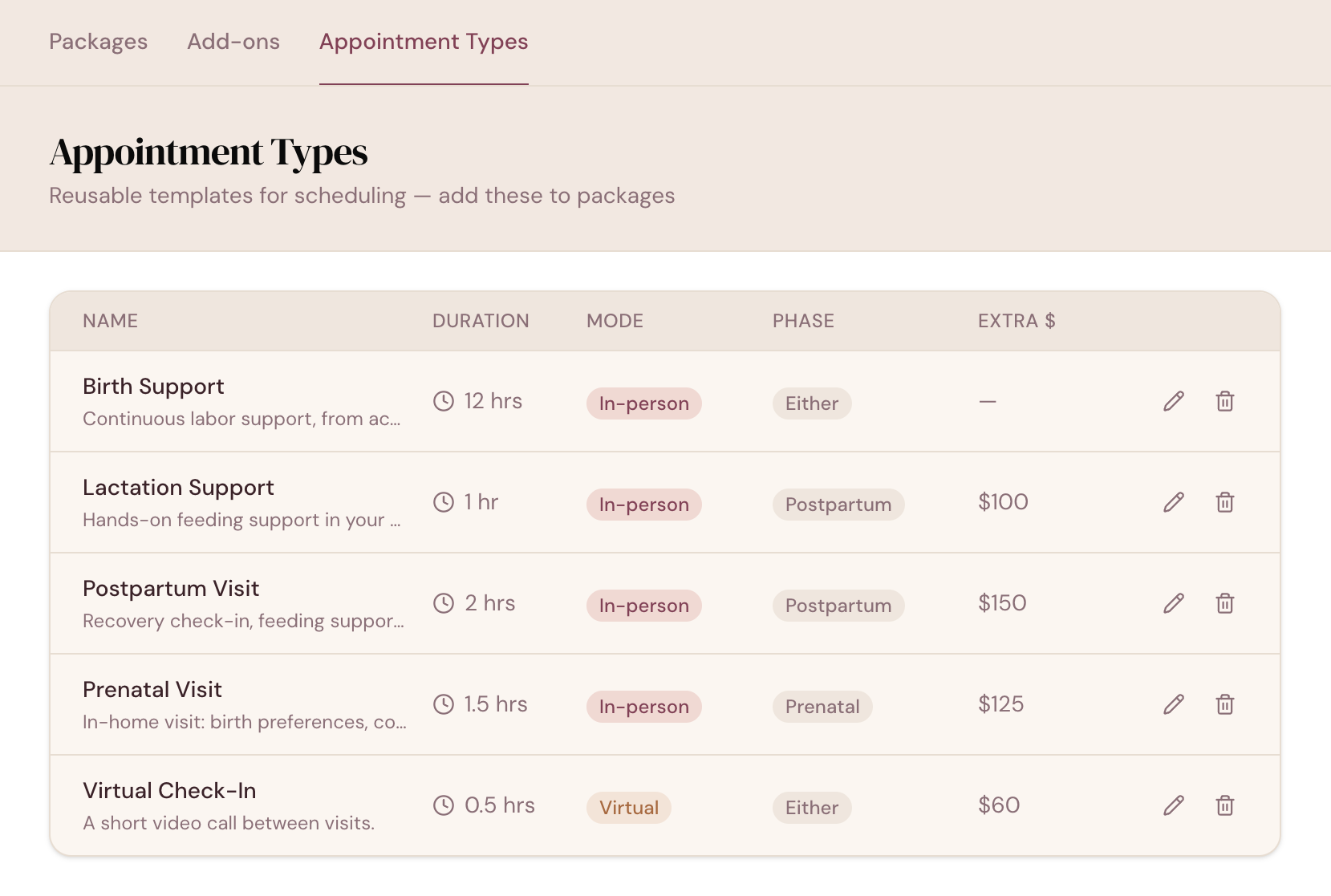
app.mydoulaflow.com/services/appointment-types
DoulaFlow appointment types listing Birth Support, Lactation Support, Postpartum Visit, Prenatal Visit and Virtual Check-In, each with its length, mode, phase of care and extra-visit price
Counted

A package is visits you can count

A package holds its visit types with a count for each, plus a price, a deposit percentage and service tags. DoulaFlow keeps track of how many of each visit a client has used.

  • Used and left. Her appointments show 2 of 3, and Home tells you when visits are left and nothing is booked.
  • A nudge, not a block. The package builder points out a visit type with no phase of care.
  • Tags that carry through. Birth Doula, Postpartum and the rest show on your client list.
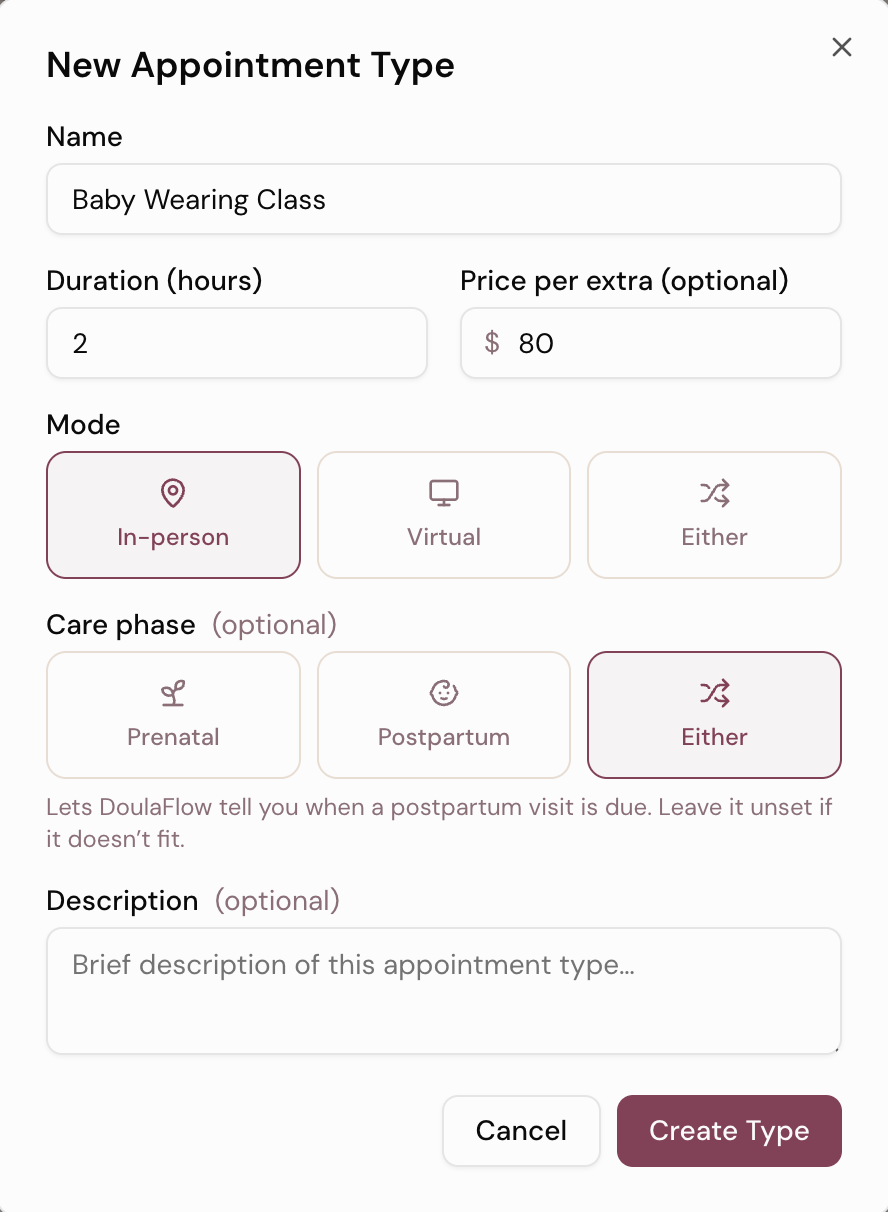
The new appointment type form in DoulaFlow, with fields for name, length and extra-visit price, and choices for mode and phase of care
Add-ons

Add-ons for what only some clients want

An add-on has its own name, price and description. You attach it to the clients who want it, with a quantity. If every client gets something, it belongs in the package instead.

  • A quantity per client. Two extra postpartum visits, or one birth pool rental.
  • Billed as set. It comes onto her invoice at that quantity.
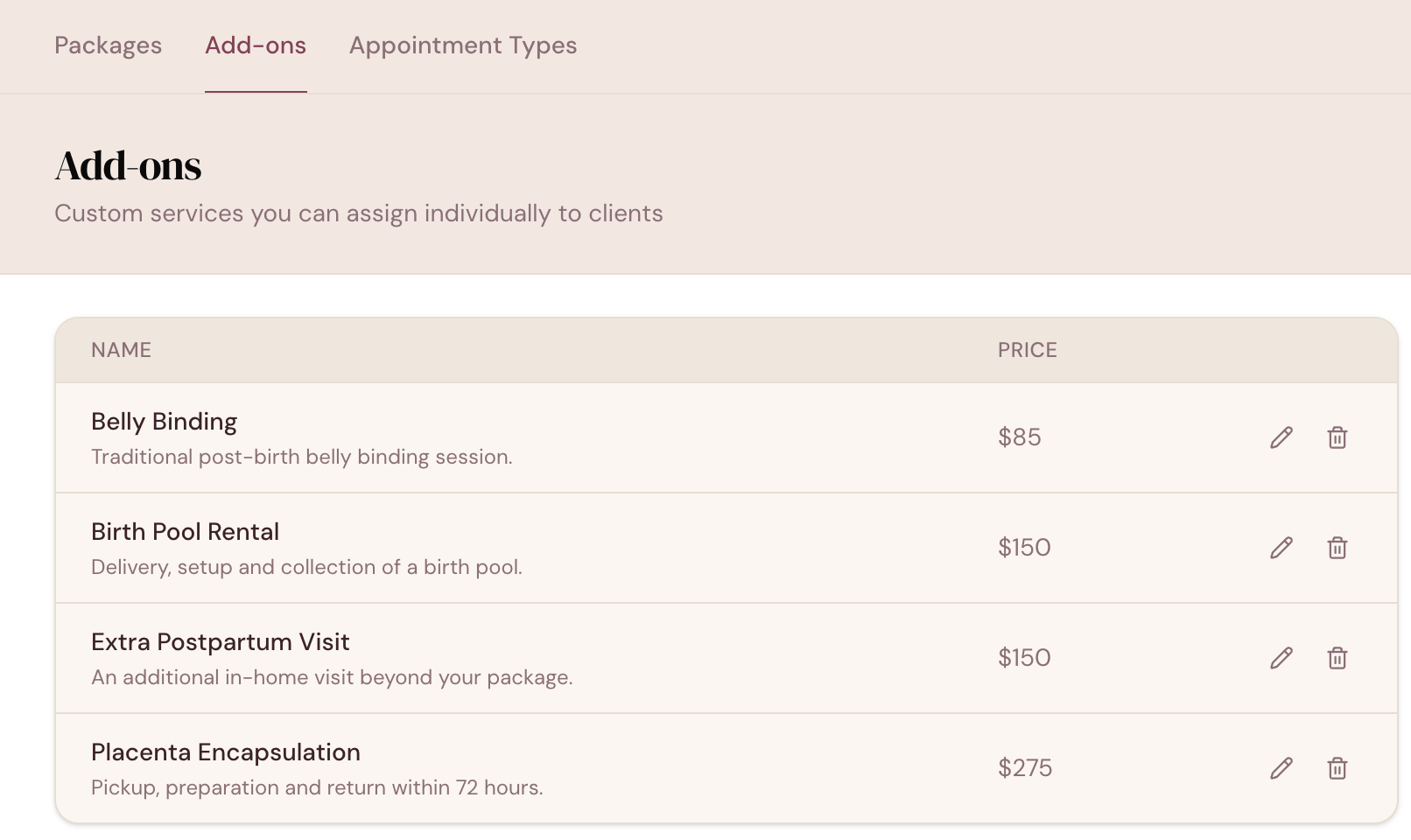
app.mydoulaflow.com/services/add-ons
DoulaFlow add-ons list showing belly binding, birth pool rental, an extra postpartum visit and placenta encapsulation, each with a description and a price
One more visit

Book past the package. Bill it later.

When a client has used every visit of a type, you can still book another. DoulaFlow asks you to confirm first, then saves the visit as an extra at that type's extra price.

  • Changing her package? DoulaFlow asks whether to carry used visits forward or start fresh.
  • Nothing decided for you. Both choices are yours at the moment you make the change.
One-click invoice

Add-ons and extras on the invoice, in one click

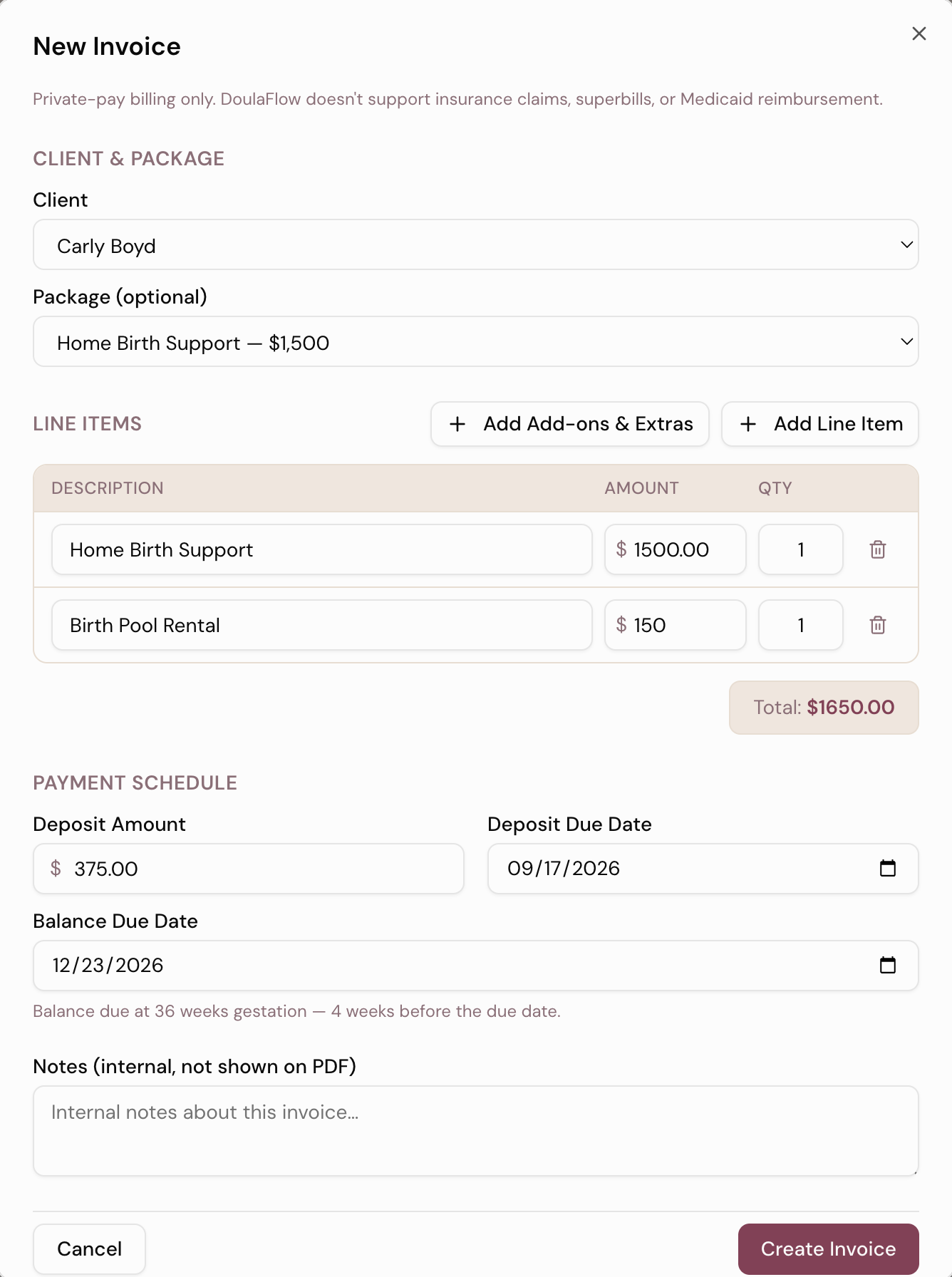
Choose her package and the deposit fills in from its percentage. Add Add-ons & Extras then adds her add-ons and each extra visit as its own line.

  • Nothing billed twice. Anything already on an earlier invoice is left off.
  • Every amount editable. Change any line before you send it.
  • No price set? That extra comes in at $0.00, so you see it and set the amount.
A new DoulaFlow invoice with a package and an add-on as line items, a deposit amount, and a balance due date set at 36 weeks gestation
Package capabilities

The details that keep a package honest

Small things that stop a package drifting from what you agreed.

Service tags

Birth Doula, Postpartum and more, carried through to your client list.

Deposit percentage

Set on each package and filled in on the invoice for you.

Change packages

Carry used visits forward or start the new package fresh.

Visit lengths

Each visit type has its own length, in hours.

Insights counts

How many clients are on each package, and how many of each add-on you sold.

No double billing

Add-ons and extras already billed stay off the next invoice.

What comes with every plan

Unlimited clients

Every plan includes unlimited clients. You are never charged per client.

No cut of your payments

Clients pay you directly through your own PayPal or Venmo. DoulaFlow never touches the money.

Your data stays yours

Ask and we send you a copy of everything: your clients, documents and birth records.

Built with a working doula

Megan runs her own practice and has the final say on everything we build.

No contract

Month to month or yearly. Cancel whenever you like.

Real people answer

Two of us, in Chattanooga, read every message.

Common questions

What is the difference between a package and an add-on in DoulaFlow?

A package is a bundle of visit types with a count for each, a price and a deposit percentage, such as three prenatal visits, the birth and two postpartum visits. An add-on is a separately priced service you attach only to the clients who want it, with a quantity.

Can I book more visits than a client's package includes?

Yes. DoulaFlow counts the visits she has used and asks you to confirm before you book one beyond her package. The visit is stored as an extra, and when you create her invoice, one click adds it at the extra-visit price you set for that visit type.

How are deposits set?

Each package has a deposit percentage. When you invoice a client on that package, the deposit amount fills in from it, and you can change it. Your client pays through your own PayPal or Venmo link, or you record the payment yourself.

What happens to used visits if I change a client's package?

DoulaFlow asks. You can carry the visits she has already used forward into the new package, or start the new package fresh.

Can I bill by the hour in DoulaFlow?

Not as a rate. Packages are fixed-price bundles of visits, and there is no hourly rate to set. For hourly work, add a line to the invoice and enter the number of hours as the quantity.

Build your packages the way you sell them.

Build your packages and add-ons during your free trial.

14 days free. No card needed. Cancel anytime.