Doula Client Portal and Messaging | DoulaFlow
Client portal & messaging

Your clients get real access. You keep your phone.

Each client gets her own portal with her appointments, documents, invoices and a week-by-week pregnancy view. Her questions come to one message thread in DoulaFlow, not your personal phone.

14 days free. No card needed. Cancel anytime.
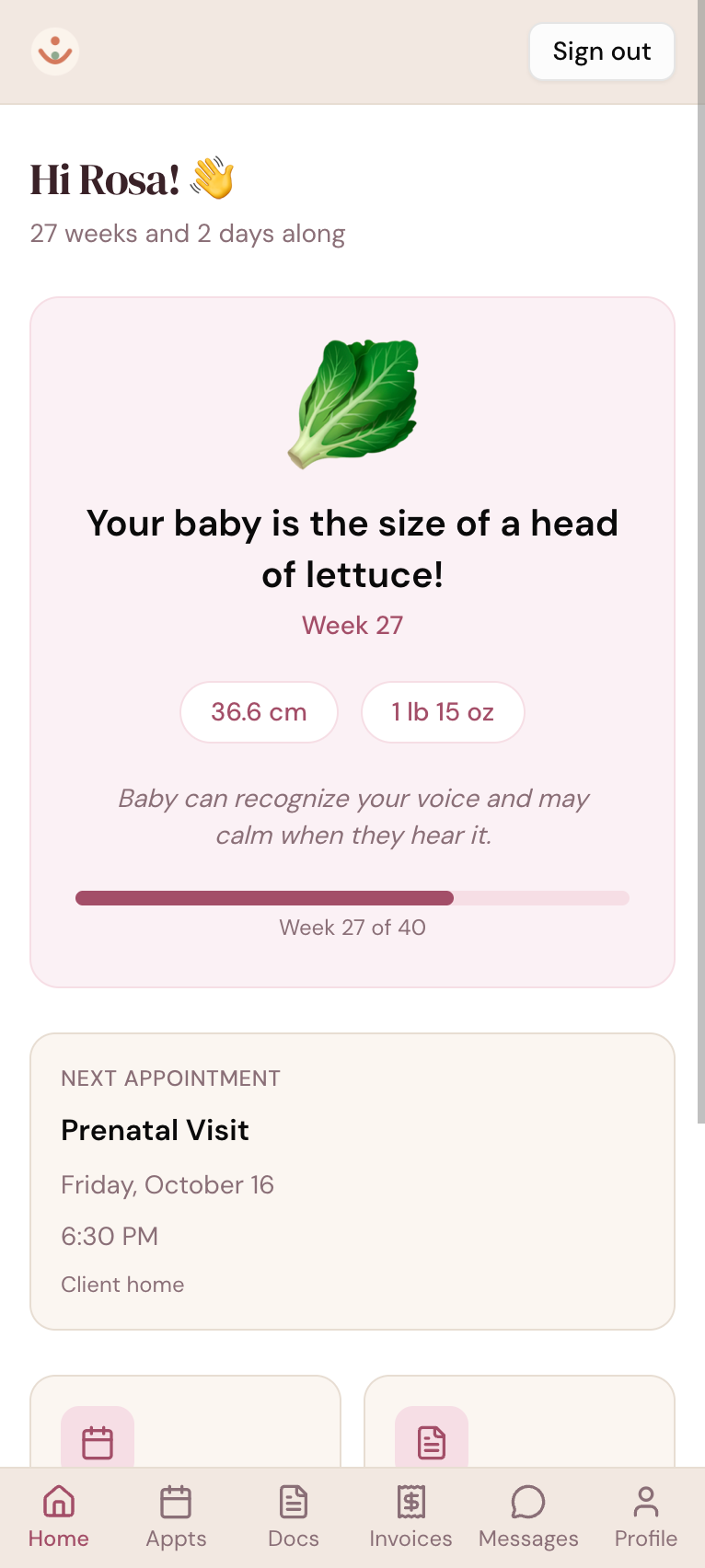
The DoulaFlow client portal on a phone greeting Rosa, showing 27 weeks and 2 days along, her baby's size this week, and her next prenatal visit

Why does every client have your cell number from week twelve?

Texting is the default, so questions arrive at all hours on the same phone as your family. Documents get lost in email, and clients ask for the same link twice.

Her portal

A portal that feels like hers

When she logs in, your client sees how far along she is, her baby's size this week, and her next appointment. Your practice logo sits at the top.

  • Week by week, from week 4 to week 43.
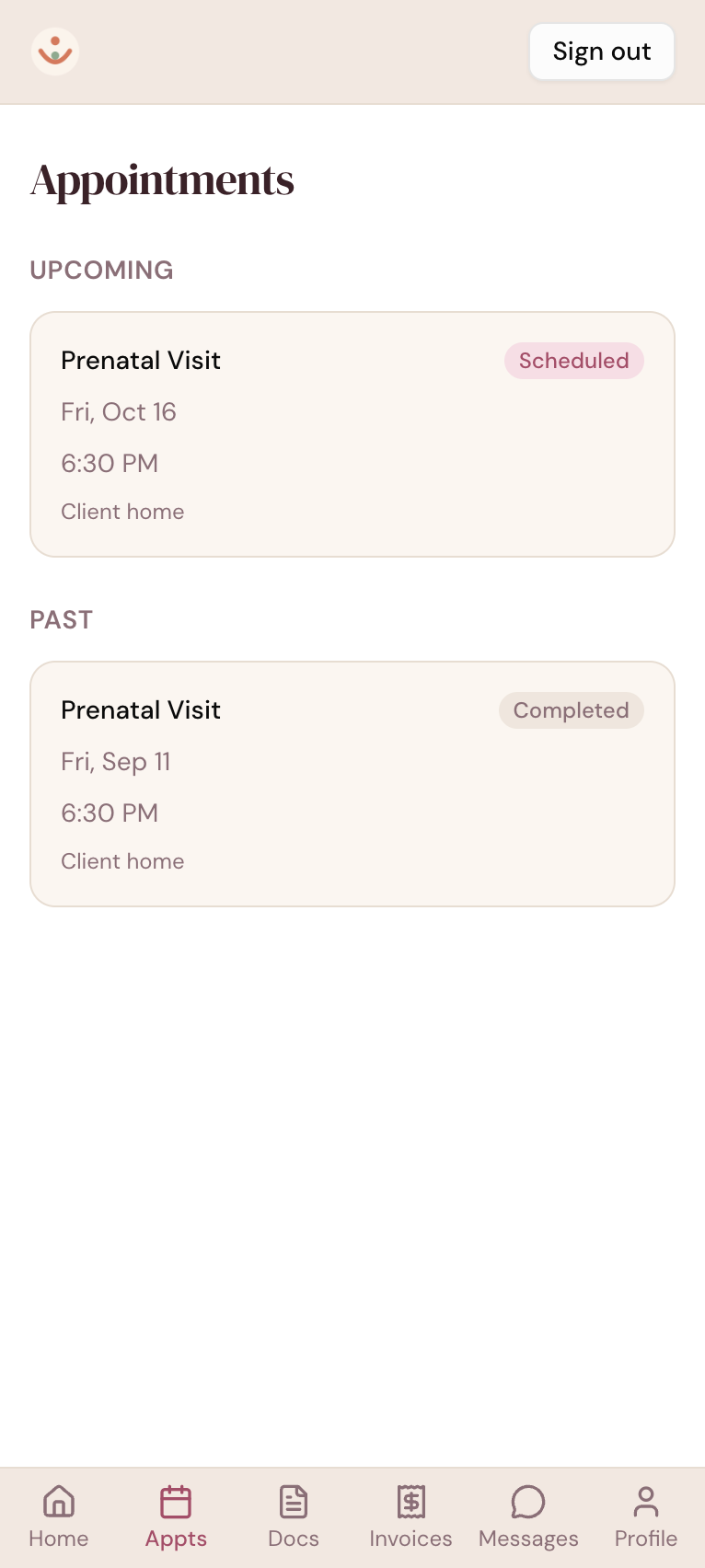
  • Her appointments, upcoming and past, in your practice's timezone.
  • Her own colors. She can choose a color theme.
The DoulaFlow client portal on a phone listing upcoming and past prenatal visits with dates, times and locations
Messages

Questions in one thread

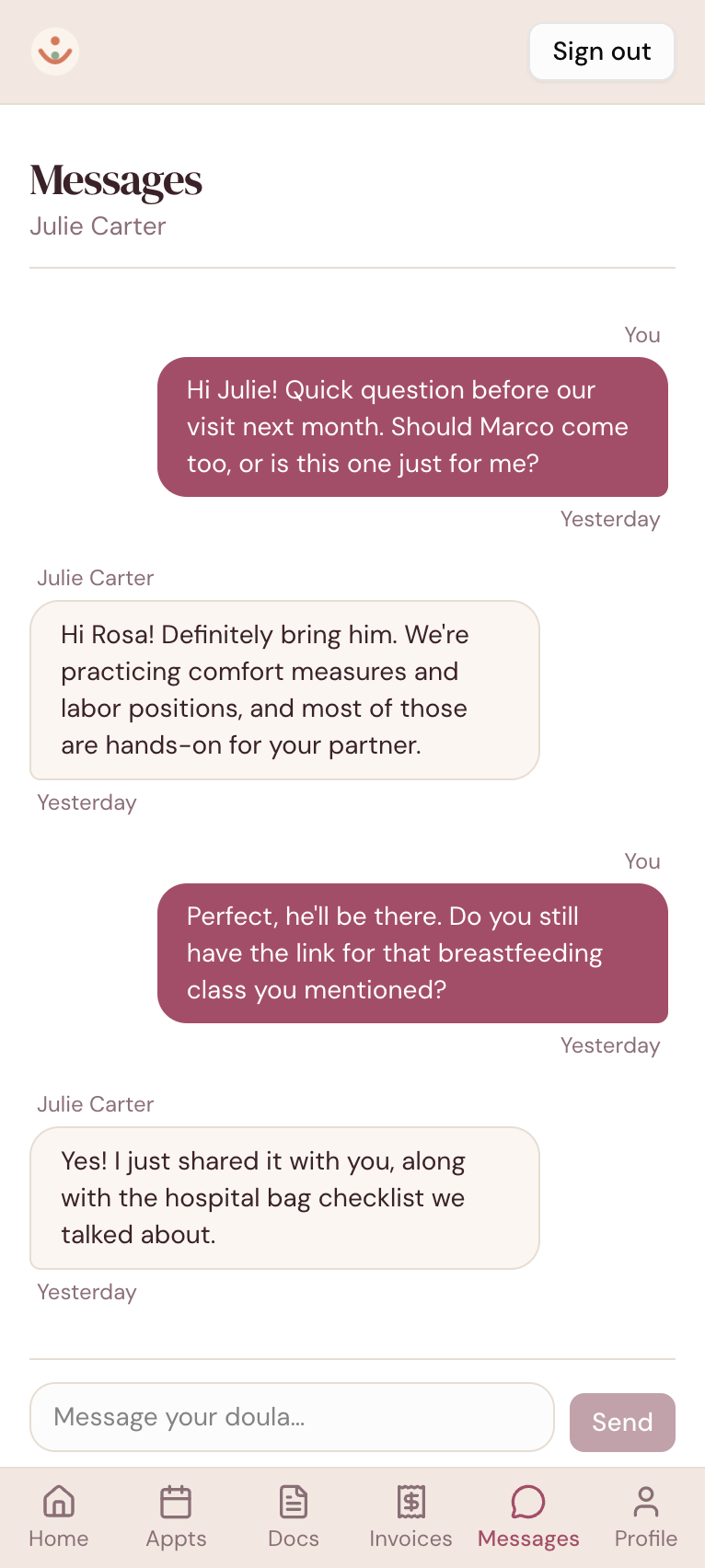
Each client has one message thread with you, inside DoulaFlow. Messages arrive in real time, and an email lets you know when something new comes in.

  • Email alerts you control. Turn yours off, and she can turn hers off.
  • No inbox floods. No email goes out while you are both still chatting.
  • Messaging off if you prefer. Turn off client messages for your practice.
A message thread in the DoulaFlow client portal between a client and her doula about an upcoming visit and a class link
Your side

Every conversation in one place

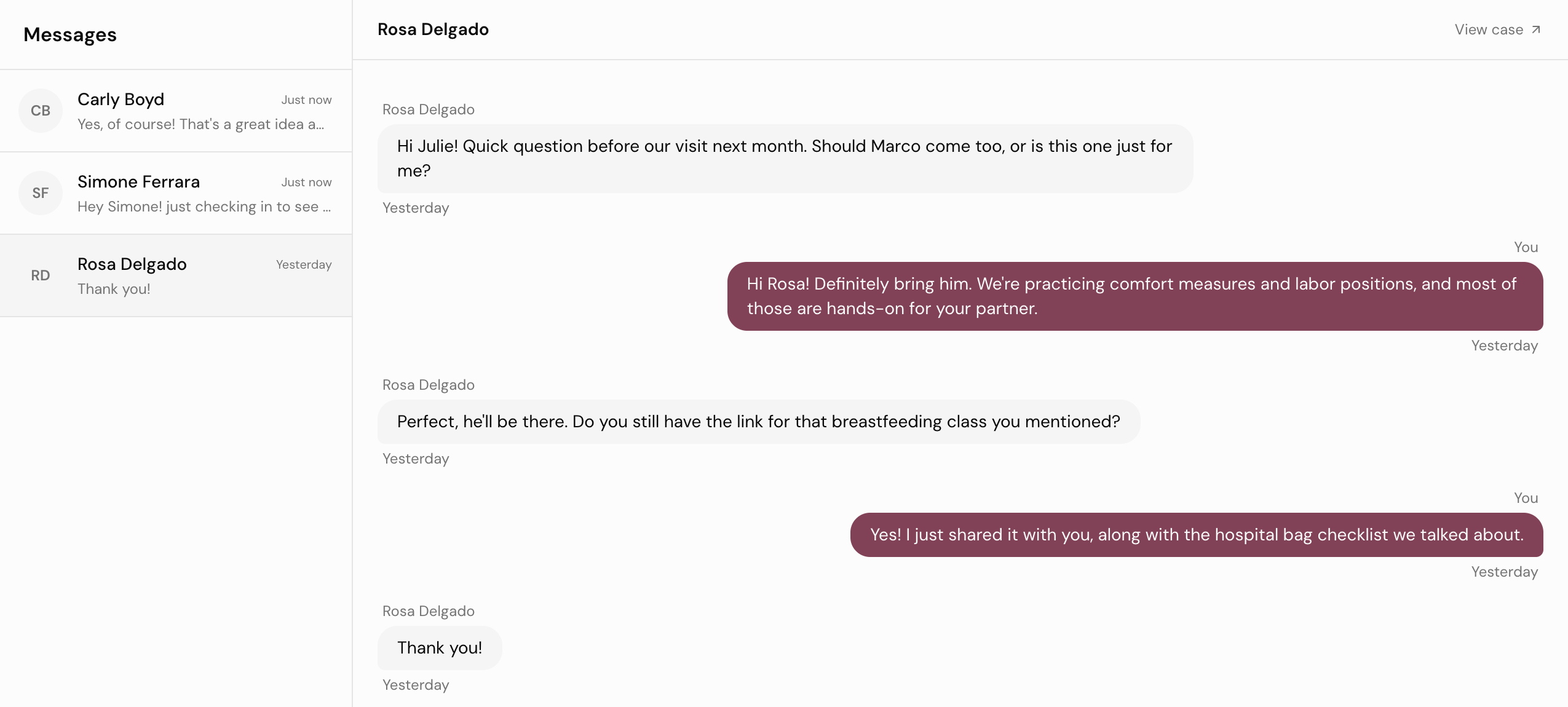
Your messages page lists every client you are talking with. Open a thread and reply, and new messages appear as they arrive.

  • On her record too. Messages also sit in a tab on each client.
  • Text only. No attachments, so files go in Documents.
app.mydoulaflow.com/messages
The DoulaFlow messages page listing client threads beside an open conversation with a client
Documents and invoices

Documents and invoices she can find

Share a document with one client, or with every client at once. She can view and download it any time, next to her invoices and what she has paid.

  • Her full invoice. Line items, deposit, what she has paid and her balance.
  • Pay from the invoice. On paid plans, her invoice has a PayPal or Venmo button.
  • Nothing to install. The portal works in her phone's browser.
Portal capabilities

Built for your client's side of the work

What she sees, and what you control.

Invite by email

Send her a login from her record. She sets her own password.

Week by week

Her baby's size, length, weight and a short fact each week.

Care after a loss

Pregnancy content disappears after a recorded loss.

Your logo

Your practice logo at the top of her portal.

Her invoices

What she owes, what she has paid, and her payment history.

Works on her phone

A web portal, so there is nothing for her to download.

What comes with every plan

Unlimited clients

Every plan includes unlimited clients. You are never charged per client.

No cut of your payments

Clients pay you directly through your own PayPal or Venmo. DoulaFlow never touches the money.

Your data stays yours

Ask and we send you a copy of everything: your clients, documents and birth records.

Built with a working doula

Megan runs her own practice and has the final say on everything we build.

No contract

Month to month or yearly. Cancel whenever you like.

Real people answer

Two of us, in Chattanooga, read every message.

Common questions

Does my client need to download an app?

No. The portal is a website that works in any phone or computer browser. You send her a login from her record, and she sets her own password.

Can clients text me through DoulaFlow?

Messages stay inside DoulaFlow, with email alerts when something new arrives. DoulaFlow does not send or receive text messages.

Can clients upload documents?

No. Clients can view and download the documents you share with them, but they cannot upload their own.

Can clients book or change appointments in the portal?

No. Clients see their upcoming and past appointments. You book and change visits in DoulaFlow.

What does the portal show after a pregnancy loss?

Once you record a loss, the pregnancy content disappears from her portal, and a new portal invite says nothing about the pregnancy.

Can I turn off client messaging?

Yes. Your practice settings have a switch that lets clients message you. When it is off, clients see that messaging is unavailable and no message emails are sent.

Give each client a place of her own.

Invite a client to her portal during your free trial.

14 days free. No card needed. Cancel anytime.