Doula Dashboard: See What Needs You Today | DoulaFlow
Home dashboard

See what needs you today, in order

DoulaFlow opens on one list of everything waiting on you, across all your clients. A birth that is close comes first. Every item tells you what to do and opens the page to do it.

14 days free. No card needed. Cancel anytime.
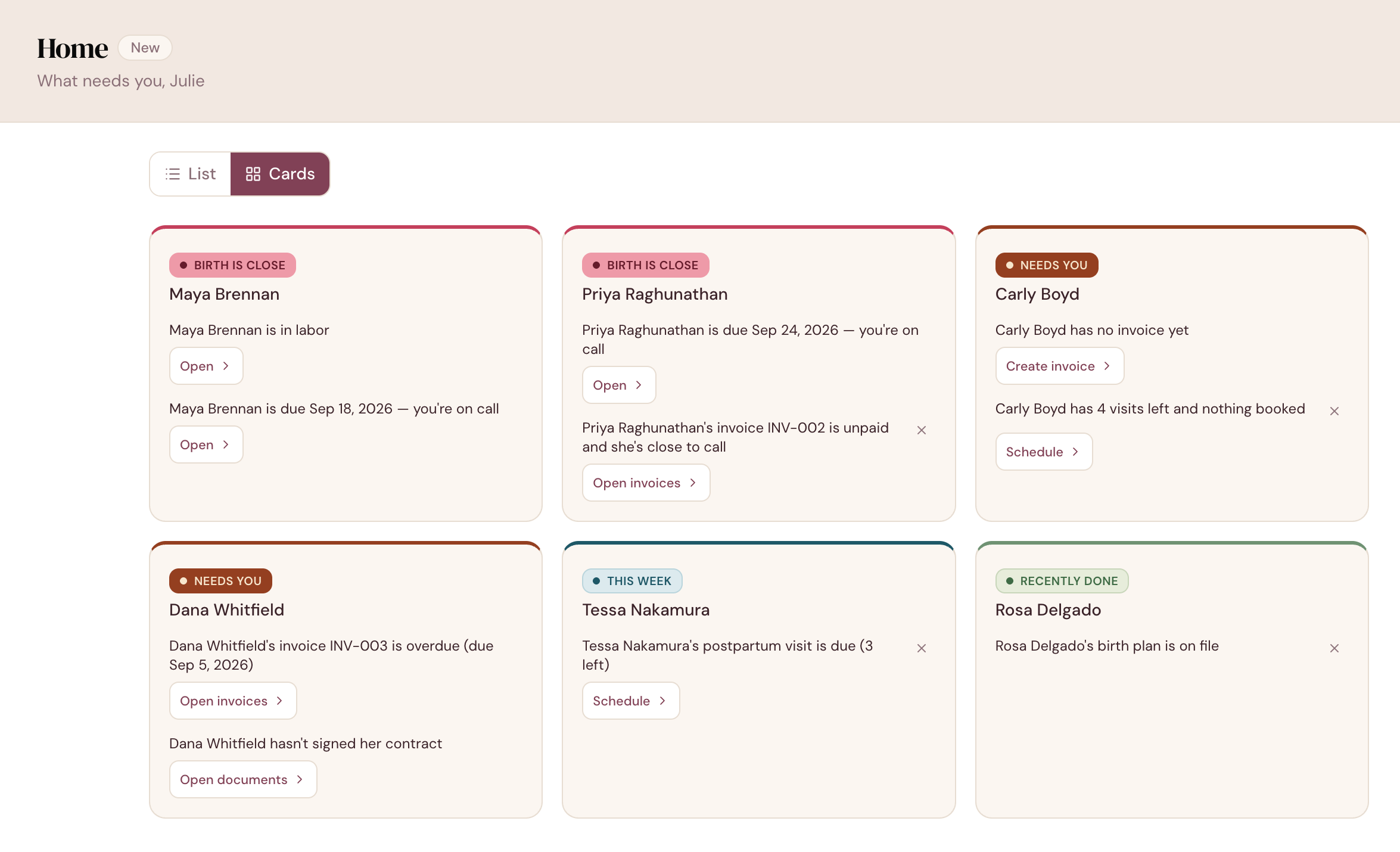
app.mydoulaflow.com/home
DoulaFlow Home in cards view, one card per client showing her open items, each with a button to act on it

Where do you look first on an on-call morning?

Most doulas start the day in a calendar, a client list, a text thread and their own memory. Nothing tells you what matters most. A client near her due date and an unsigned contract look the same until you work it out.

Birth first

A birth always comes first

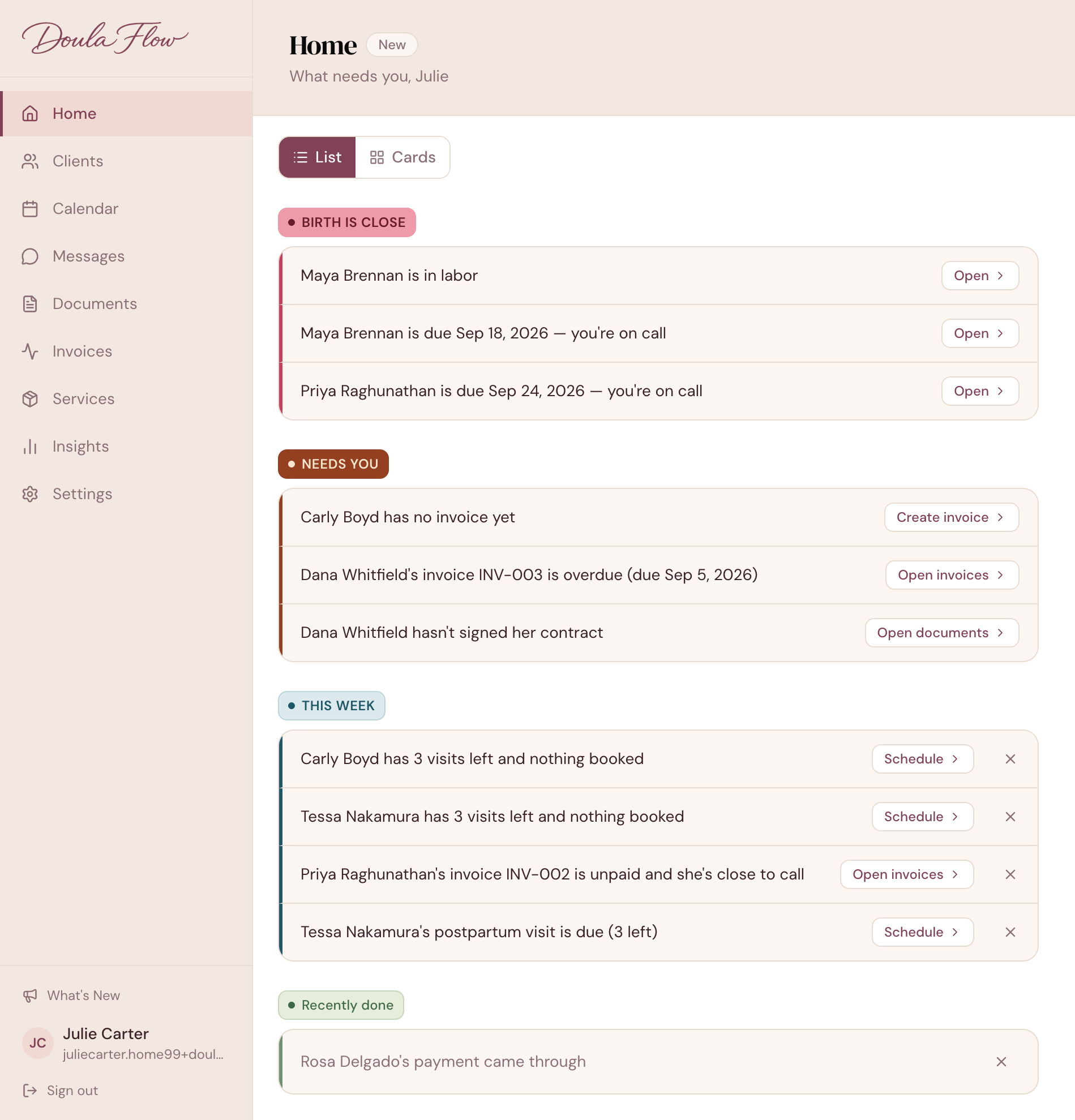
Everything sorts into four groups that never change order: Birth is close, Needs you, This week, and Recently done. A client in labor sits above an overdue invoice, even if the invoice is older.

  • On call from your week. A client joins the top group at the week you set. It is 36 weeks unless you change it.
  • Past due stays put. A client past her due date stays at the top until you record the birth.
  • Care after a loss. Record a loss and Home drops every pregnancy reminder for that client. Invoices and visits stay.
app.mydoulaflow.com/home
DoulaFlow Home in list view, headed What needs you, Julie, with items grouped under Birth is close, Needs you, This week and Recently done
One tap to act

Every item says what to do next

Each item leads with the client's name and says the thing plainly. Its button opens the exact page you need. There are no charts or totals to read first.

  • Create invoice opens a new invoice for that client.
  • Record birth opens her birth details.
  • Schedule opens her appointments.
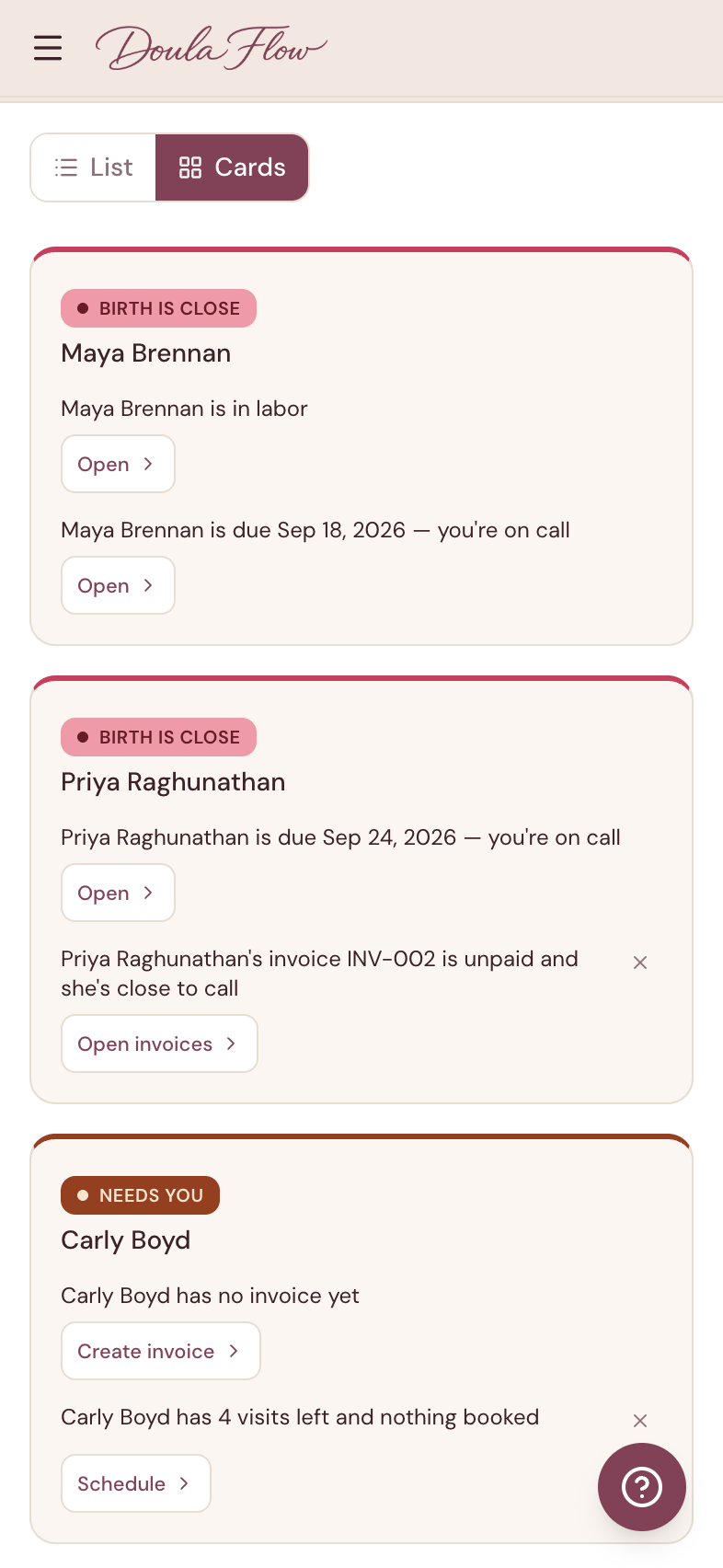
DoulaFlow Home on a phone in cards view, with Birth is close and Needs you cards and their buttons
Quiet when done

Clear it now. It comes back if it changes.

Clear an item under This week or Recently done once you have dealt with it. If something about it changes later, it comes back on its own.

  • Some items stay until resolved. Anything under Birth is close or Needs you leaves only when it is done.
  • It notices changes. Clear a client with nothing booked, and she returns if a visit is booked and then cancelled.
  • Your switches. Turn off intake or invoice reminders if you handle those outside DoulaFlow. Birth reminders always stay on.
On your phone

The same list wherever you are

Home works in your phone's browser. Pick a compact list or larger cards. Both show the same items in the same order, and your choice follows you to every device.

  • Saved to your account. Set list or cards once.
  • Yours in a collective. Each doula sees only her own clients. That includes the account owner.
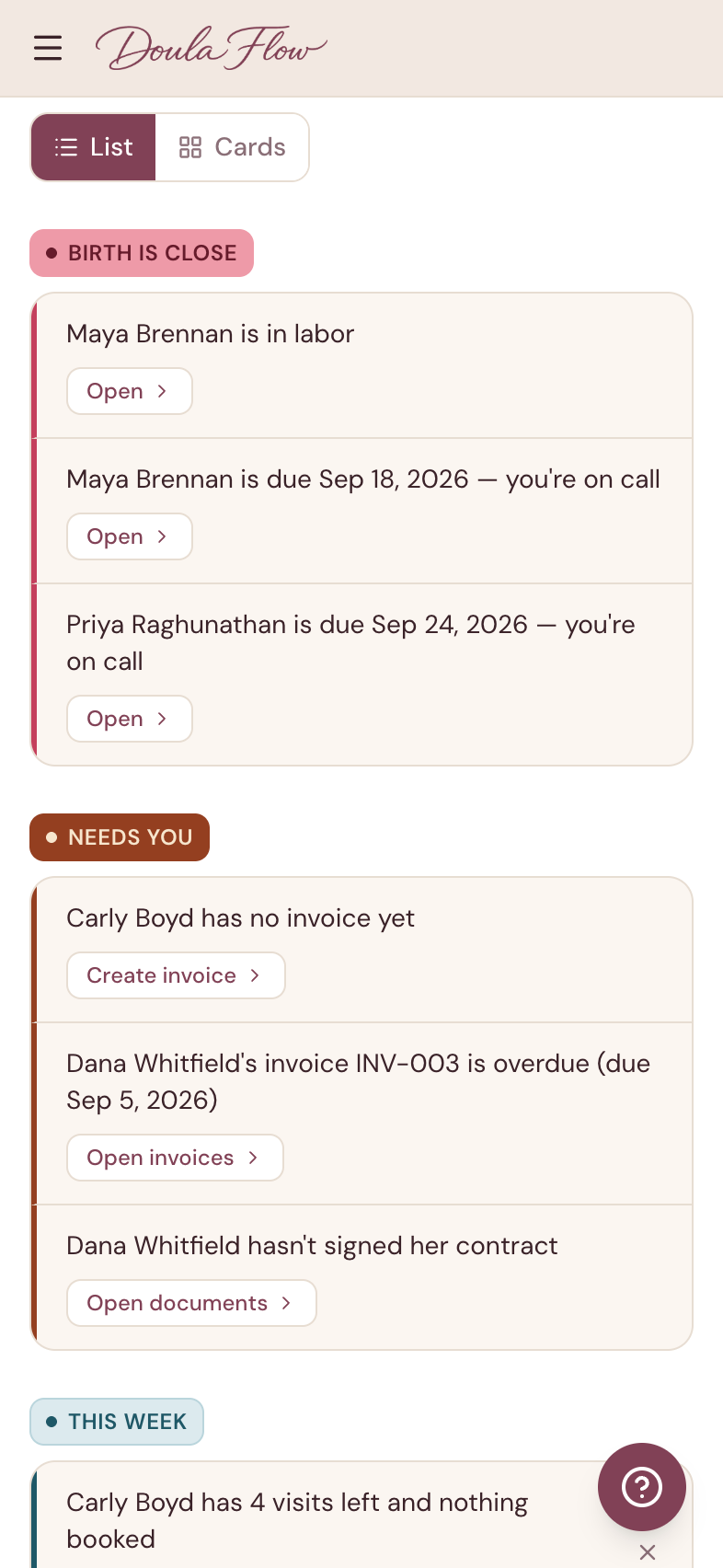
DoulaFlow Home on a phone in list view, showing the Birth is close and Needs you groups
Home capabilities

Built for an on-call practice

The details that keep Home honest, and quiet when nothing needs you.

All caught up

When nothing is waiting, Home says so. It only says so once it has checked everything.

Recently done

Signed contracts, payments in and birth plans on file. Each clears after three days.

Postpartum visits

A visit shows as due a set number of days after the birth. The default is three.

Unpaid before on-call

An unpaid invoice shows up in the week before your client goes on call.

Client status line

The line under each name on your client list matches what Home says.

Getting started

New to DoulaFlow? Your first-steps checklist lives on Home.

What comes with every plan

Unlimited clients

Every plan includes unlimited clients. You are never charged per client.

No cut of your payments

Clients pay you directly through your own PayPal or Venmo. DoulaFlow never touches the money.

Your data stays yours

Ask and we send you a copy of everything: your clients, documents and birth records.

Built with a working doula

Megan runs her own practice and has the final say on everything we build.

No contract

Month to month or yearly. Cancel whenever you like.

Real people answer

Two of us, in Chattanooga, read every message.

Common questions

What is the Home screen in DoulaFlow?

Home is the screen DoulaFlow opens on after you log in. It lists everything waiting on you across your clients in four groups, always in the same order: Birth is close, Needs you, This week, and Recently done. Each item has a button that opens the right page.

Can I clear a reminder from Home?

Yes, for items under This week and Recently done. A cleared item comes back on its own if something about it changes, such as a visit that was booked and then cancelled. Items under Birth is close and Needs you cannot be cleared and leave Home when they are resolved.

Can I turn off reminders I do not need?

Yes. The settings button on Home has two switches, one for intake forms and one for invoices and payments, and both start on. Birth and appointment reminders always stay on.

Does the Home dashboard work on my phone?

Yes. Home works in your phone's browser, in a compact list or in larger cards. Your choice of view is saved to your account, so it is the same on every device you sign in from.

In a doula collective, does Home show other doulas' clients?

No. Each doula's Home shows her own clients, including the account owner's. Reminder switches are set per doula and do not change anyone else's Home.

Start your day on what needs you.

Set up your clients and Home fills in on its own. There is nothing to configure.

14 days free. No card needed. Cancel anytime.